
Step by step
- Open Teams in the sidebar (Teams Interacted).
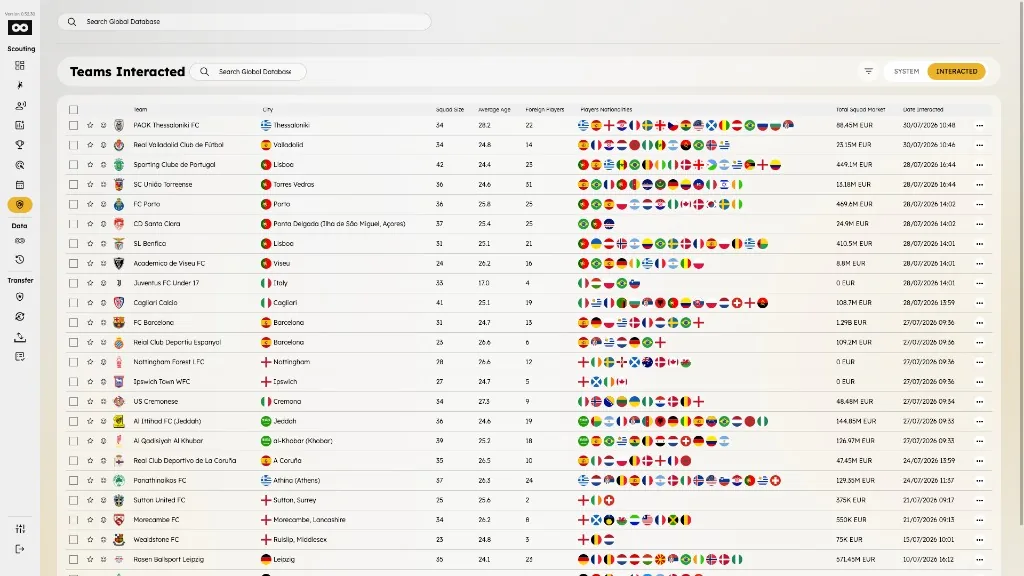
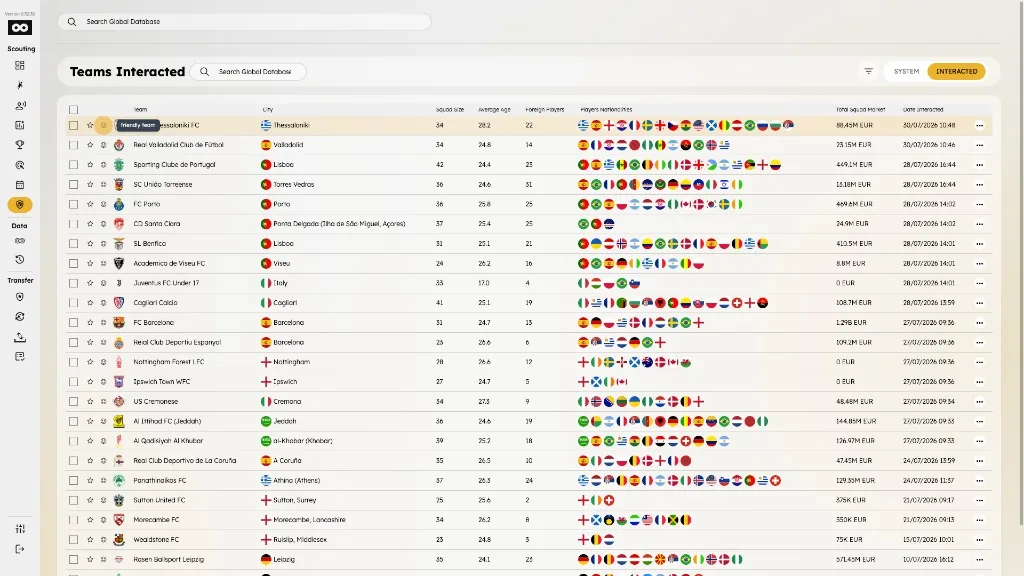
- On the team row, tap the smile (friendly team) button next to the crest.
- Or open the team profile and tap the same smile button next to the favorite star in the header.
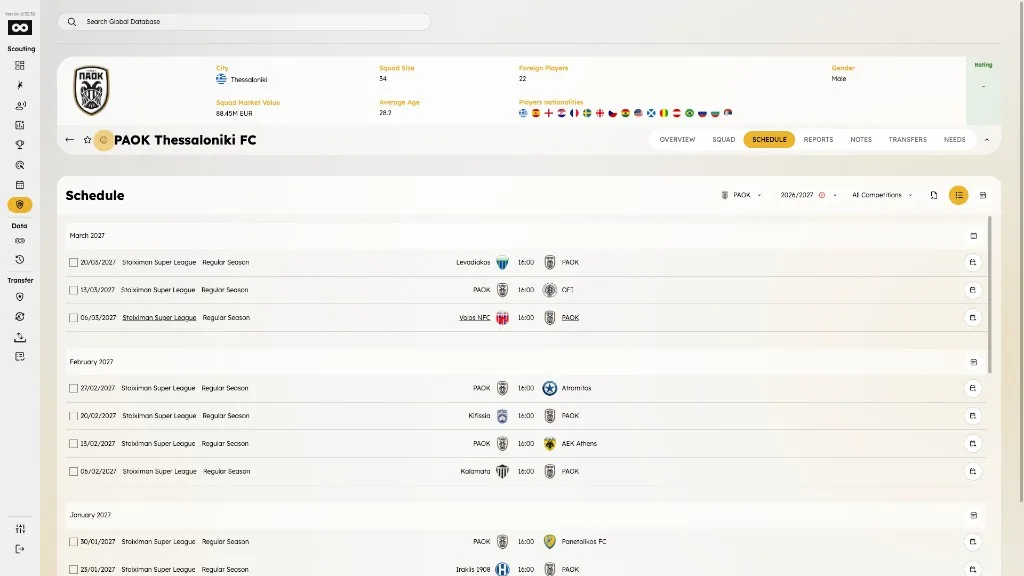
- The team is marked as friendly; tap again to remove the label.
- Friendly and rating labels also appear in Transfer tables where team columns show the rating UI.