
Step by step
- Go to Settings → Reports.
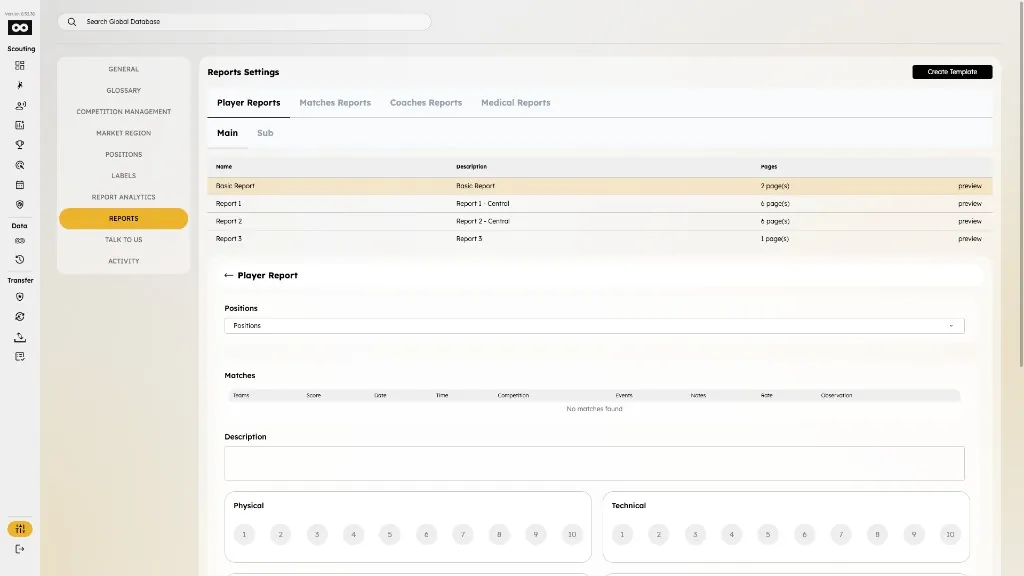
- Browse categories (Player Reports, Matches Reports, etc.) and Main / Sub tabs.
- Tap preview on a main template (or Edit on a sub template) to open the read-only preview.
- Review pages, questions, and grading fields in the preview.
- To request a new template, tap Create template — the app shows a support message and can redirect to Talk to us.